|
Getting your Trinity Audio player ready...
|
Alight Motion Full Screen Ratio Guide: Smart Uses for Perfect Video Fit, Better Display & Pro-Level Editing
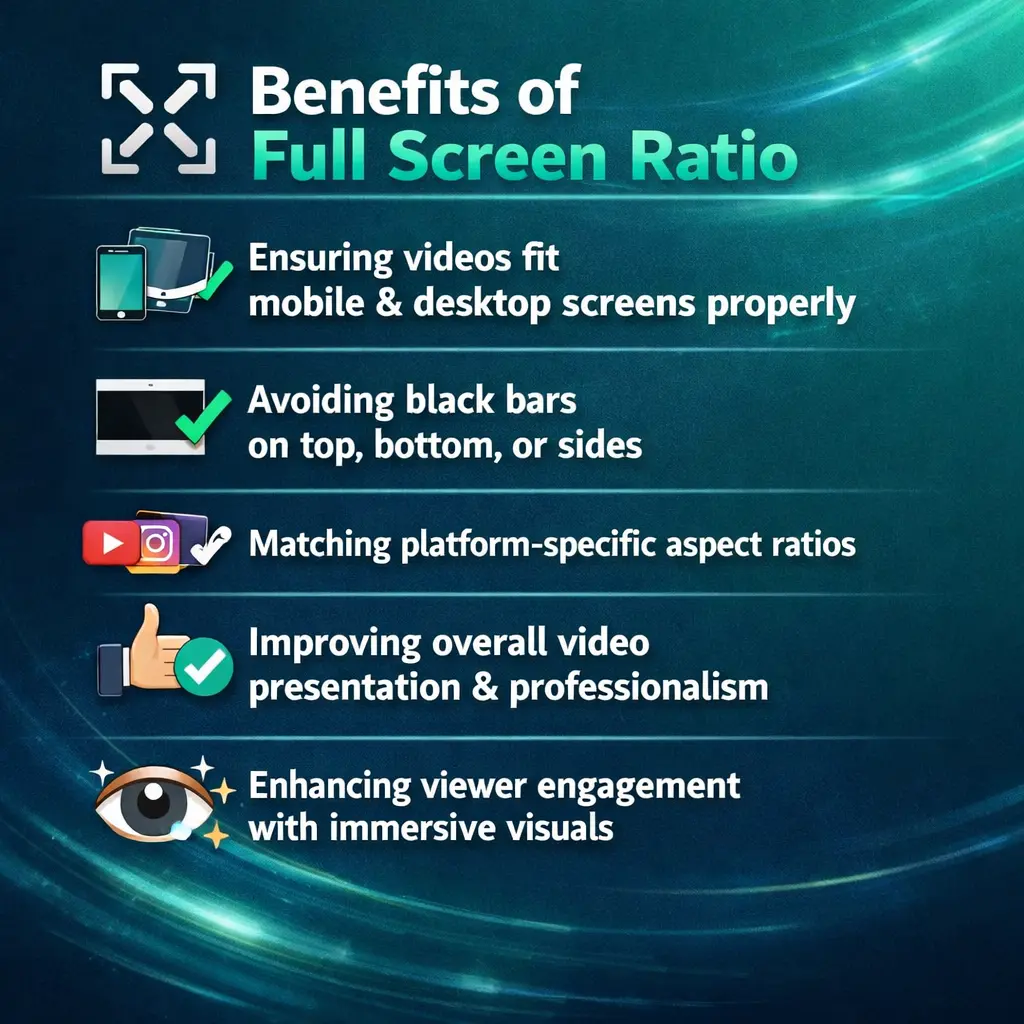
Using the correct full-screen ratio in Alight Motion helps your videos fit perfectly on platforms like YouTube, Instagram, and TikTok. It prevents black bars, cropping, and distortion while improving overall video quality and viewer experience. Alight Motion makes it easy to format videos for clean, immersive, and professional results. This guide explains key uses, setup methods, and tips for creating polished, platform-ready full-screen videos.
What are the Uses of Full-Screen Ratio?
The full screen ratio guide defines how your video fits within the screen dimensions of a device or platform. In Alight Motion, setting the correct ratio ensures that your content fills the entire screen without unwanted borders or scaling issues.Using full-screen ratio correctly helps your content look native to the platform instead of resized or stretched.
Creative Uses of Full-Screen Ratio
Full screen ratio guide is not only a technical setting it also opens up creative possibilities in Alight Motion.
Immersive Visual Storytelling
Full-screen videos make viewers feel more connected to the content. By filling the entire display, you can create stronger emotional and visual impact.
Vertical and Horizontal Content Optimization
Different platforms require different ratios. Full screen ratio guide helps you optimize for:
Motion Graphics and Text Animations
Using full screen ratio guide allows motion graphics, titles, and overlays to cover the entire frame, making animations look more professional and balanced.
Background and Overlay Effects
Full-screen backgrounds, blur layers, and overlays look cleaner and more natural when they are properly scaled to full-screen dimensions.
Best Practices for Uses of Full-Screen Ratio
To get the best results, follow these professional best practices when using full-screen ratio in Alight Motion:
Choose the Right Aspect Ratio First
Always select the correct project ratio before importing clips. This prevents resizing problems later.
Avoid Stretching Videos
Stretching to fill the screen can reduce quality and distort visuals. Use proper scaling and cropping instead.
Use Fit, Fill, and Crop Wisely
Alight Motion provides tools to fit or fill the screen. Use them based on your content style and platform needs.
Maintain Visual Quality
Export settings should match your full-screen resolution to avoid compression and blurriness.
Test on Multiple Devices
Preview your full-screen video on different screen sizes to ensure consistent appearance.
Platform-Specific Full-Screen Ratios in Alight Motion (Added for Competitor Coverage)
Platform-specific full-screen ratios in Alight Motion help you format videos correctly for each social media platform, ensuring perfect screen fit and optimal display. Using the right ratio improves video appearance, prevents cropping or black bars, and makes your content more professional and platform-ready.
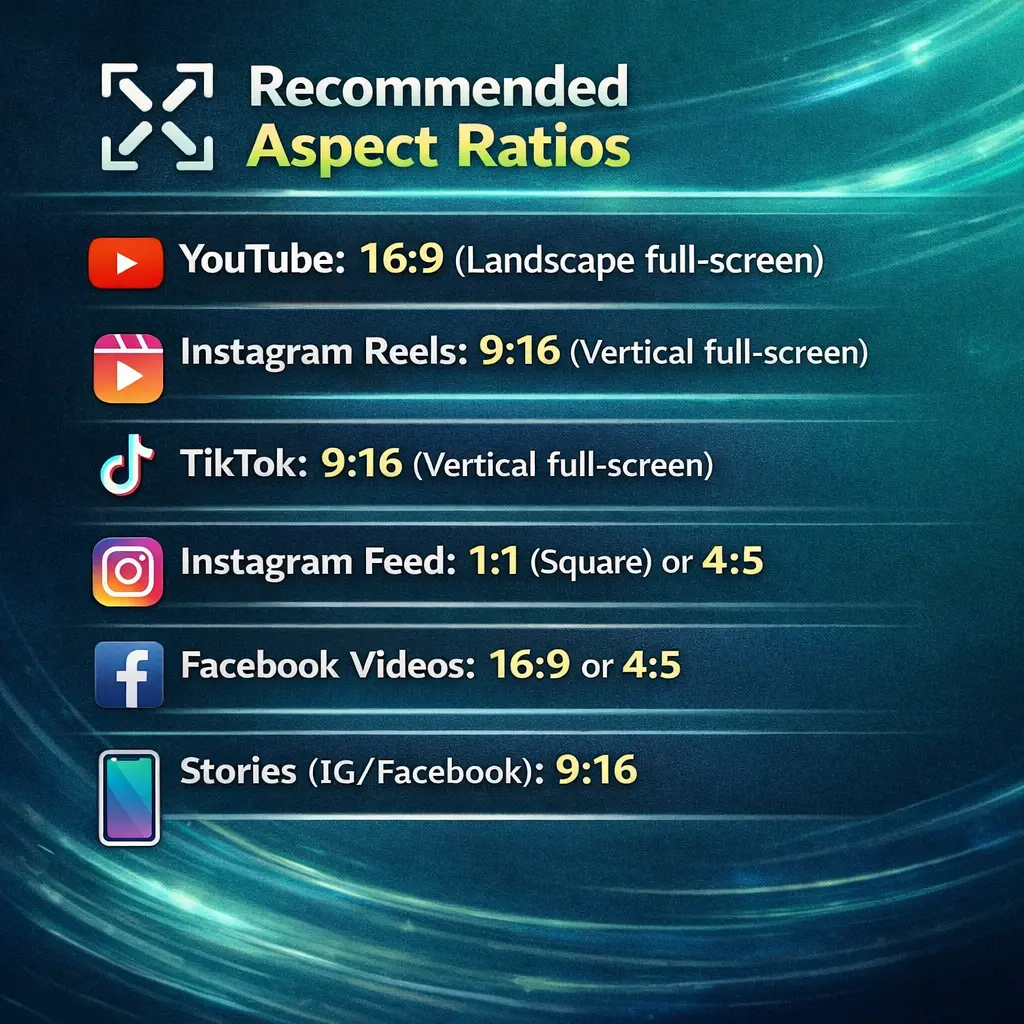
Setting the correct full screen ratio guide in Alight Motion ensures your content is platform-ready without extra editing.
Common Problems When Using Full-Screen Ratio (Added for Ranking Depth)
Many users face issues while working with full-screen ratio. Common problems include:
These problems usually happen when project settings do not match the source footage or target platform ratio.
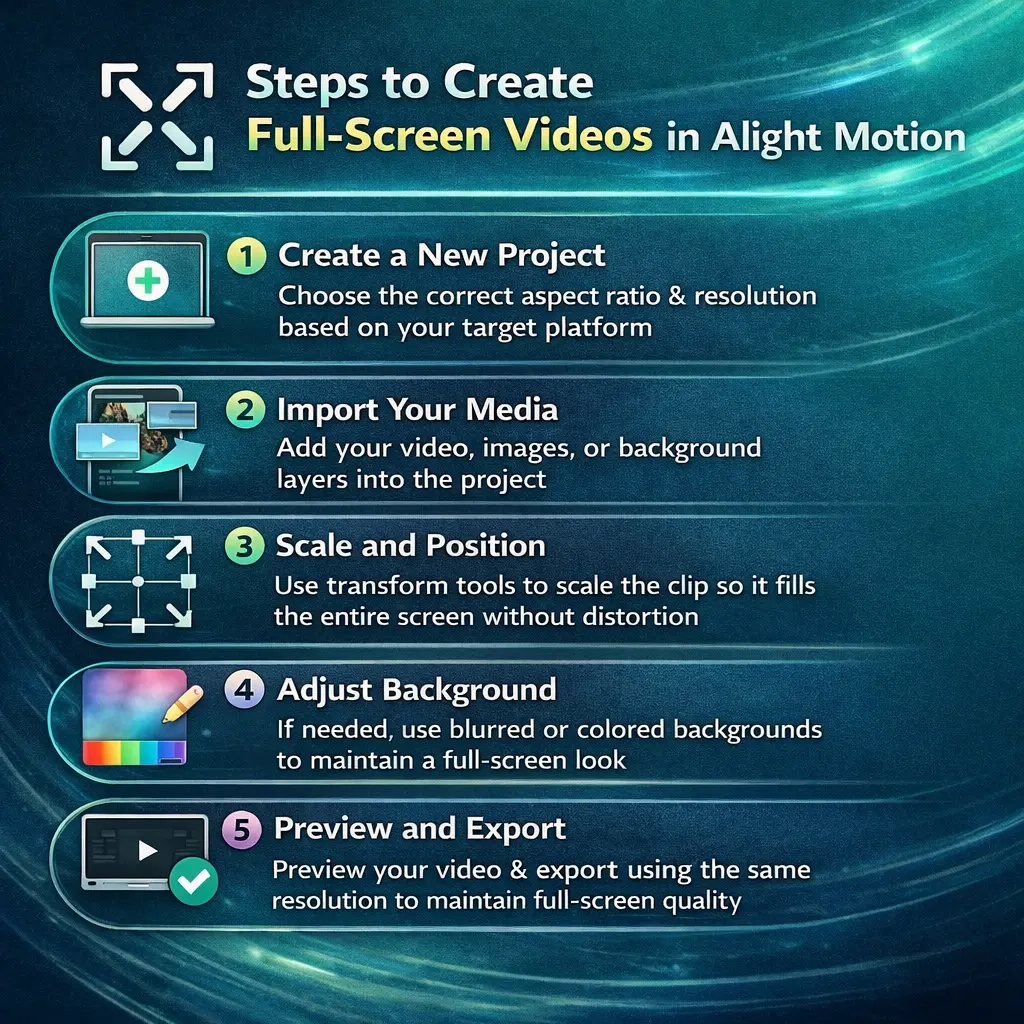
How to Make a Full-Screen Video in Alight Motion
To create a full-screen video in Alight Motion, select the correct aspect ratio and resolution, import your media, and scale clips to fill the screen properly. Use backgrounds if needed to avoid empty spaces, then preview and export with the same settings to maintain full-screen quality.
Full Screen Ratio guide for Motion Graphics and Overlays (Added for Advanced SEO)
When working with motion graphics, full screen ratio guide is essential for:
Using proper full-screen settings ensures these elements align correctly across devices.
Final Words
Understanding the uses of full screen ratio guide in Alight Motion is essential for creating professional, platform-optimized videos. It improves visual quality, prevents formatting issues such as black bars and cropping, and enhances overall viewer experience. By selecting the correct ratio, following best practices, and aligning your project with platform requirements, you can produce high-quality full-screen videos that look polished, engaging, and ready for modern digital platforms. Full-screen ratio is not just a simple setting; it is a core part of an effective video editing strategy.